
Reading OnlyFans Auto-Renew Terms Before You Pay
Reading auto-renew terms before you pay on OnlyFans takes about two minutes and prevents most surprise charges. Subscriptions renew automatically by default, so the charge you approve today repeats on a schedule until you stop it. This article explains where those terms live, what the renewal states mean, and how to track them. It focuses on the free and paid page rules that apply to every subscriber.

Most billing complaints come from one gap: people read the price but not the renewal line. The price is visible on the profile, while the renewal behaviour sits in the checkout flow and the help centre. That split is why so many subscribers are caught off guard. The fix is simple and does not require any technical skill.
Where auto-renew terms actually live on a page
Renewal terms appear in three places: the subscribe confirmation screen, the billing section of your account settings, and the platform help centre. The confirmation screen is the one that matters most, because it is the last step before your card is charged. If you skip it, you are agreeing to whatever default the page uses.
Free pages work differently. A free page sets the price to $0 and earns through pay-per-view messages and tips instead of subscriptions. That means no renewal charge exists, but the messages and tips are separate purchases you approve one at a time. Free does not mean the page cannot cost you money.
Paid pages use a subscription range of $4.99 at the minimum to $49.99 at the maximum. Typical paid pages sit between $4.99 and $15, with averages landing around $5 to $10. There is no base price below $4.99, though a promotional first month may dip under that figure. After the promotion ends, the standard price applies.
- Month one: the price shown at checkout, which may be a promotional rate.
- Month two onward: the standard subscription price unless you cancel.
- Tips and pay-per-view messages: charged separately, never part of the renewal.
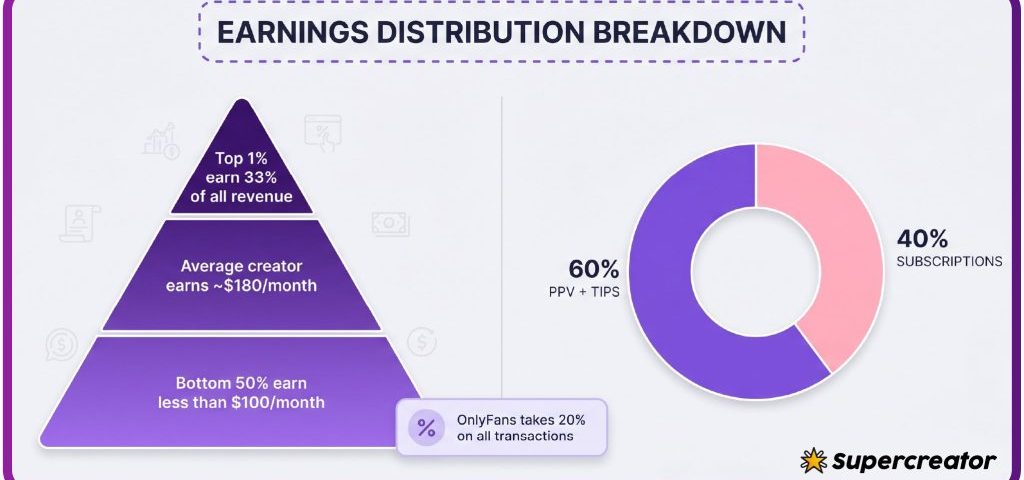
- Platform fee: 20% is taken from the creator on everything, and the creator keeps 80%.
- Currency conversion or bank fees: set by your card issuer, not the platform.
The checkbox state before you enter card details tells you whether auto-renew is on. Some flows pre-tick it; others leave it unticked. Either way, the ticked state is what authorises the repeat charge.

The three renewal states you can be in
Every subscription sits in one of three states, and knowing which one you are in removes the guesswork. The state determines whether a charge happens next month without any action from you. It also determines what you see in your billing history.
- Default on: the subscription renews automatically and charges you on the renewal date until cancelled.
- Default off: the subscription ends when the current paid period finishes, with no further charge.
- Manual renewal: the subscription lapses and you choose to resubscribe yourself if you want access again.
Most paid subscriptions start in the default-on state because that is how recurring billing works. Free pages do not generate a renewal charge at all, so the state is less relevant there. If you want control, decide which state you prefer before you pay, not after.

Reading a renewal date like a calendar entry
A renewal date is not a vague idea; it maps to a specific charge day. If you subscribe on the 12th, the next charge lands on the 12th of the following month in most cases. Note that date somewhere you already look at daily.
Short months and time zones can shift the exact moment a charge posts. The charge may appear a few hours earlier or later than you expect. Treat the renewal date as a window of a day rather than a precise minute. If you plan to cancel before a charge, do it a day early.
Write the renewal day in your calendar the moment you subscribe, with a reminder two days before. Checking your statement after the charge is already too late to avoid it.
- Assuming the renewal matches the day you first looked at the page rather than the day you paid.
- Forgetting that a promotional first month renews at the full price.
- Deleting the confirmation email that states the renewal terms.
- Ignoring a card expiry notice, which can cause a failed charge and lost access.
- Relying on memory instead of a written note for multiple subscriptions.

Cancellation windows versus access windows
These two windows are different, and confusing them causes both wasted money and unexpected lockouts. Cancelling stops the next automatic charge, but it does not usually end your access immediately. Your existing access lasts until the current paid period ends.
That distinction matters when you cancel mid-cycle. You keep what you already paid for, and you pay nothing further. Some subscribers cancel and then wonder why they still have access, while others expect instant removal and re-subscribe by mistake.
| Scenario | Auto-renew | Access after cancel |
|---|---|---|
| Cancel one day after subscribing | Stopped | Until the paid period ends |
| Cancel one day before renewal | Stopped | Until the paid period ends |
| Do nothing | Active | Continues and charges again |
| Card fails at renewal | Lapses | Ends when the period expires |
If you want access to stop at a specific date, cancel earlier than the renewal day and let the period run out naturally. That gives you the full value of what you paid without triggering another charge. For a starting point, top only fans model salary collects free pages.

What happens when a price changes mid-cycle
When a creator raises the subscription price, auto-renew stops on its own. The platform does not silently charge you the higher amount on your next renewal. Instead, your existing access lasts until the current paid period ends.
You then choose whether to resubscribe at the new price. Nothing is taken from your card without a fresh approval. This is one of the few renewal behaviours that protects subscribers by default, and it is worth knowing before you see a price change notice.
A price drop works the same way, in reverse. The new rate only applies if you resubscribe after your current period ends. If you were paying more, you are not automatically moved to the cheaper rate mid-cycle.

Red flags in renewal wording
Some wording should make you pause before entering card details. Vague renewal language is the clearest signal that you should read further. If you cannot find the cancellation steps on the same screen, treat that as a warning.
- Any phrase that mentions renewal without stating the amount or the date.
- A checkout screen with no visible cancellation instructions.
- Promotional pricing shown without the standard price that follows it.
- Bundled tips or pay-per-view consent ticking by default.
- No confirmation email after payment, leaving no record of the terms.
None of these are automatically dishonest, but each one removes information you need. A page that hides the renewal line is harder to manage than one that states it plainly. Ranking sites exist partly because the platform has no built-in discovery feed or directory, so subscribers often arrive without context. BestOnlyFans and similar directories help with discovery, but the renewal terms always come from the platform itself.
A pre-subscribe renewal check
Run these five checks in under two minutes before you pay for any page. They cover the information that prevents almost every billing surprise. Doing them once makes the habit automatic.
- Confirm the exact renewal price, not just the promotional first-month rate.
- Find the renewal date and write it in your calendar.
- Locate the cancellation steps before you need them.
- Check the checkbox state for auto-renew and any bundled message consent.
- Note which card you are using so you can match the charge later.
This is also a good moment to understand where the money goes. The platform fee is 20% on everything, including subscriptions, tips and pay-per-view, and the creator keeps 80%. One useful reference when comparing what creators actually take home is this breakdown of top only fans model salary, which puts the platform’s cut in context.
Keeping a simple renewal log
A short log turns a set of scattered charges into one clear picture. Four columns are enough to track everything you need. Update it the day you subscribe or cancel.
| Page name | Renewal day | Price | Card used |
|---|---|---|---|
| Example page A | 12th | $4.99 | Card ending 1234 |
| Example page B | 18th | $9.99 | Card ending 1234 |
| Example page C | 1st | $15.00 | Card ending 5678 |
When a renewal day approaches, check the log before your statement arrives. If you no longer want the page, cancel a day early and let the paid period finish. BestOnlyFans lists free and low-cost pages, which makes the log shorter and cheaper to maintain.
Keeping the log current also helps you spot failed charges before access lapses. A card that expires quietly stops a renewal and ends your access at the period boundary. With three or four entries in the log, the whole system takes seconds to review. BestOnlyFans readers who track renewals report fewer disputes because the charge is never a surprise.
FAQ
Does cancelling end my access immediately?
No. Cancelling stops the next automatic charge, and your access lasts until the current paid period ends.
What happens when a creator raises the price?
Auto-renew stops, and your existing access lasts until the current paid period ends, so you choose whether to resubscribe at the new price.
Do free pages renew like paid pages?
No. Free pages set the price to $0 and earn through pay-per-view messages and tips, so there is no renewal charge.
Why is there no built-in way to find new pages?
The platform has no discovery feed or directory, which is why ranking sites exist to help subscribers compare pages.